【Kotlin/Android】How to implement AdMob interstitial ads! Displayed during screen transitions
What you will learn from this article
- How to implement an interstitial ad in Kotlin
- Introduce AdMob
- How to display an ad on a screentransition?
- How to use InterstitialAd and FullScreenContentCallback
index
[open]
\ アプリをリリースしました /


Environment
- Android Studio:Flamingo
- Kotlin:1.8.20
Official Reference: Interstitial Ads
What are interstitial ads?
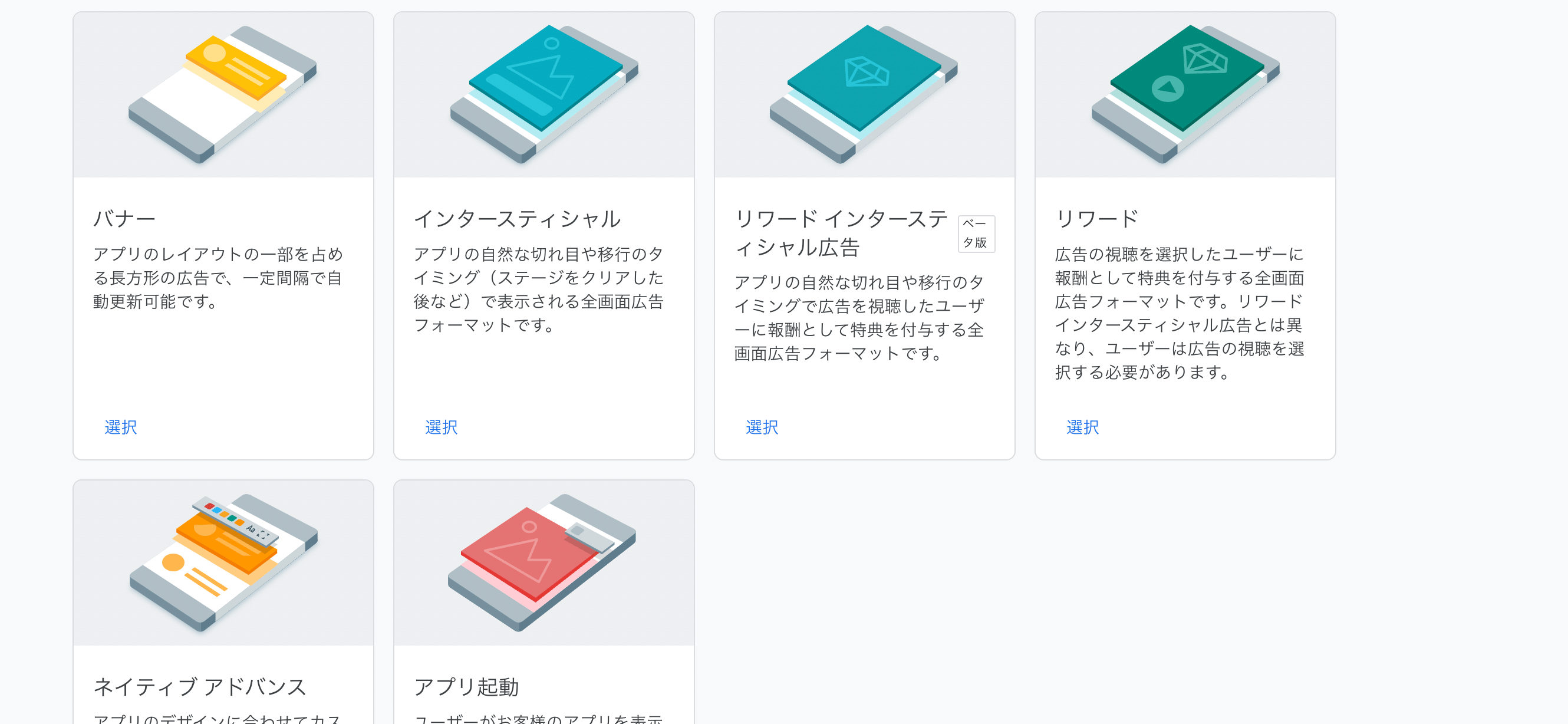
Interstitial ads are a type of affiliate (performance-based) advertising, and are full-screen ads that are placed during screen transitions or natural breaks.
To place ads on your Android app, install "Google AdMob". "Google AdMob" is a service provided by Google that allows you to place ads on mobile apps such as iOS and Android, and makes it easy to implement banner ads, reward ads, and interstitial ads.
Recommended article: 【Kotlin】How to implement AdMob reward ads! GADFullScreenContentDelegate
How to implement interstitial ads in Kotlin
If you have not registered with AdMob, have not created an ad unit, or have not yet introduced it to your project, please see the article below.
Recommended article: 【Kotlin/Android Studio】How to install AdMob! Implementing banner ads
AdMob recommends that you use a test ad unit ID instead of a production ad unit ID when you are testing your implementation during development. When you are testing your implementation, please write the following ID in the appropriate place.
// Interstitial ad test ID
ca-app-pub-3940256099942544/1033173712
Loading and displaying ads
class MainActivity : AppCompatActivity() {

  private var mInterstitialAd: InterstitialAd? = null

  override fun onCreate(savedInstanceState: Bundle?) {
      super.onCreate(savedInstanceState)
      setContentView(R.layout.activity_main)

      // Initialize
      MobileAds.initialize(this)

      // Loaded Interstitial
      loadInterstitial()

      val button: Button = findViewById(R.id.transfer_button)

      button.setOnClickListener {
          // Interstitial Display
          if (mInterstitialAd != null) {
            mInterstitialAd?.show(this@CategoryListFragment.requireActivity())
          }
      }
    }

    /**
     * AdMob interstitial loading
     */
    private fun loadInterstitial() {

        var adRequest = AdRequest.Builder().build()

        InterstitialAd.load(this, "ca-app-pub-3940256099942544/1033173712", adRequest, object : InterstitialAdLoadCallback() {
            override fun onAdFailedToLoad(adError: LoadAdError) {
                mInterstitialAd = null
            }

            override fun onAdLoaded(interstitialAd: InterstitialAd) {
                mInterstitialAd = interstitialAd
            }
        })
    }
}
Implementing the callback
Next, implement an object of type FullScreenContentCallback to receive callbacks regarding the ad's behavior.
mInterstitialAd?.fullScreenContentCallback = object: FullScreenContentCallback() {
    override fun onAdClicked() {
      Log.d("AdMob", "You clicked on an ad.")
    }

    override fun onAdDismissedFullScreenContent() {
      Log.d("AdMob", "An ad has dismissed fullscreen content.")
      mInterstitialAd = null
    }

    override fun onAdImpression() {
      Log.d("AdMob", "An ad has recorded an impression.")
    }

    override fun onAdShowedFullScreenContent() {
      Log.d("AdMob", "An ad has displayed fullscreen content.")
    }
}
I am still learning, so if you find any mistakes or shortcomings, I would appreciate it if you could let me know.
Thank you for reading.